25 March 2026
Supporting AI development with React Flow and Svelte Flow


TLDR;
We’ve added
/llms.txtfiles to React Flow and Svelte Flow to help AI coding agents navigate our docs, and we found that using these files can greatly improve the results. We have also experimented with turning our Pro examples into agent skills, but they don’t help much.
Hey, have you heard about this “AI” thing? It’s kind of a big deal these days, or at least it is if our users are anything to go by. Take a peek at the showcase and you’ll see that folks are building AI apps with React Flow and Svelte Flow in a big way, and they’re not just building for AI; they’re building with AI too!
That got us thinking about how we might be able to meet where they are. If they’re leaning on AI in their development workflows, they’re more likely to ask questions or triage issues by engaging directly with an LLM. How can we make sure our docs are serving those users (and their agents) as well as the ones that come to us directly?
There are plenty of ways to teach LLMs how to do new things or give them access to specific data. We don’t have the bandwidth to explore all of them, so we settled on exploring two different approaches:
- Generating an
/llms.txtfile from our existing documentation. - Turning our Pro Examples into reusable agent skills.
What about MCP? In the past some of our users have asked if we had any plans on creating an MCP server for React Flow or Svelte Flow . A Model Context Protocol (MCP) server can connect external agents to data sources, tools, or workflows. We’re just focusing on documentation and decided an MCP server wouldn’t be the right fit for now.
llms.txt is here!
An /llms.txt is a standardised file that acts like a sitemap
specifically for LLMs to use at inference time. Instead of navigating around your site or
docs, LLMs can first try and read your site’s /llms.txt to locate the exact page it
needs. This works well because the context doesn’t get filled with wasted HTML while the
LLM navigates around the site.
The format for an /llms.txt is a simple markdown document made up of headings and links
and not much else. Here’s a quick excerpt of React Flow ’s new
/llms.txt:
# React Flow documentation

> React Flow is a library for building interactive, node-based user interfaces ...

## Guides

- [Quick Start](https://reactflow.dev/learn): React Flow quickstart that shows ...
- Core Concepts
  - [Overview](https://reactflow.dev/learn/concepts/terms-and-definitions): ...
  - [Building a Flow](https://reactflow.dev/learn/concepts/building-a-flow): ...
  - [Adding Interactivity](https://reactflow.dev/learn/concepts/adding-interactivity): ...
  - [The Viewport](https://reactflow.dev/learn/concepts/the-viewport): ...
  - [Built-In Components](https://reactflow.dev/learn/concepts/built-in-components): ...
We first took a stab at this back in September 2025, but ultimately decided to
hold off releasing anything. We already had a couple of scripts lying around to
generate some static files for the site, so it was easy to reach for this
solution again. These kinds of scripts can work great for one-off or slow-moving
files, but something like an /llms.txt needs to always be in sync with our
docs content and a script was going to add more operational overhead than we
liked. We weren’t initially aware of llmstxt.org and the push for a standard
format, and it seems like there’s some mixed practices across the industry here.
Fast forward to 2026 and we’ve taken another stab using Next.js’s API routes and things
are working much better. We use Nextra to build our sites and
there’s a super handy function called getPageMap that we can use to quickly collect all
the links to generate.
We don’t want or need this file to be generated every time it’s requested, but by
exporting the constant dynamic with the string 'force-static' we can tell Next to
generate the response object once at build-time which is fantastic!
Here’s an abridged version of our /llms.txt route in case you want to steal it for your
own sites.
import { getPageMap } from 'nextra/page-map';
import { collectMarkdownLinks } from 'xy-shared/server';

export const dynamic = 'force-static';

export async function GET() {
  const learn = await getPageMap('/learn');

  const body = `# React Flow documentation

> React Flow is a library for building interactive, node-based user interfaces ...

## Guides

${collectMarkdownLinks('react', learn).trim()}
`;

  return new Response(body, {
    status: 200,
    headers: {
      'Content-Type': 'text/plain; charset=utf-8',
      'Cache-Control': 'public, max-age=0, s-maxage=86400, stale-while-revalidate=604800',
    },
  });
}
We also went a bit further and adopted a variation of the standard by producing
Like our original attempt, these files compile all our markdown content into a single document that you can load into your LLM’s context.
The /llms-medium.txt contains the content from our “Learn” section – those are all our
longer-form guides and tutorials – as well as the documentation for our
React Flow UI components. The /llms-full.txt expands on this
by also including the full source of each of our examples as well as the entire API
reference.
Those files are also available for Svelte Flow as well:
As React is used more widely than Svelte in the wild, LLMs haven’t had much
training data on Svelte Flow, so using our /llms.txt file can greatly improve
the results of AI coding tools like Cursor when generating code for Svelte Flow
apps. Below, we show an example of a Svelte Flow app generated with and without
our /llms.txt file.
llms.txt improves AI coding tools results
We were curious to see how our /llms.txt file would perform in a real-world
scenario, so we asked Cursor to make a Svelte Flow app
that would allow users to create simple flow charts. There is not much training
data for Svelte Flow documentation, so we
wanted to see if the LLM could use our /llms.txt file to navigate our docs and
create a better app than it might have done otherwise without any additional
context.
Here’s the prompt we used:
Create a simple svelte flow flowchart application. Add some custom nodes so my users can create flow charts. Implement common flow chart shapes like ovals, diamonds, etc.
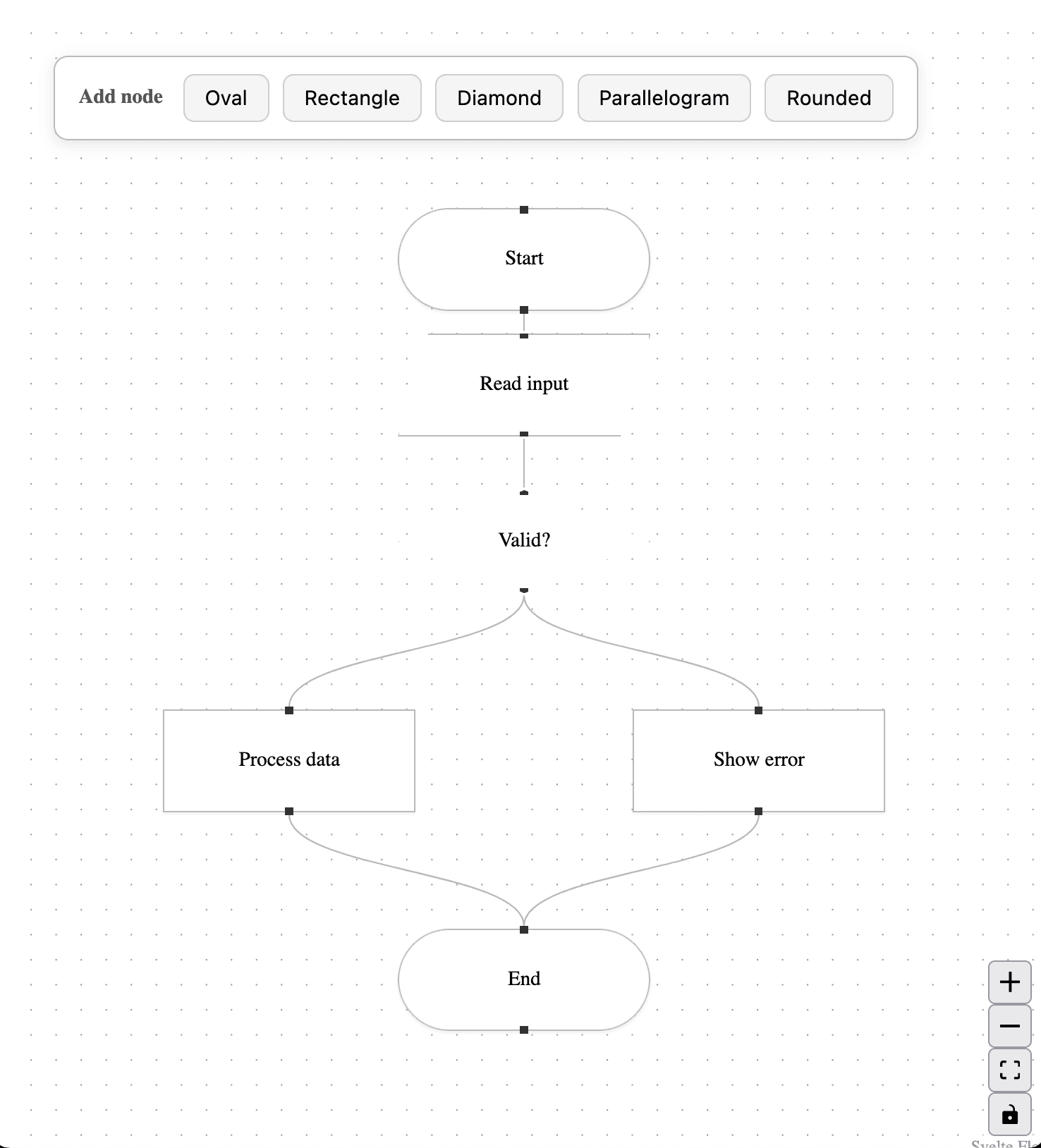
Then, we asked cursor to make another app from scratch, but this time using our /llms-full.txt file to help it navigate the docs.
… Read the Svelte Flow documentation from
https://svelteflow.dev/llms-full.txt
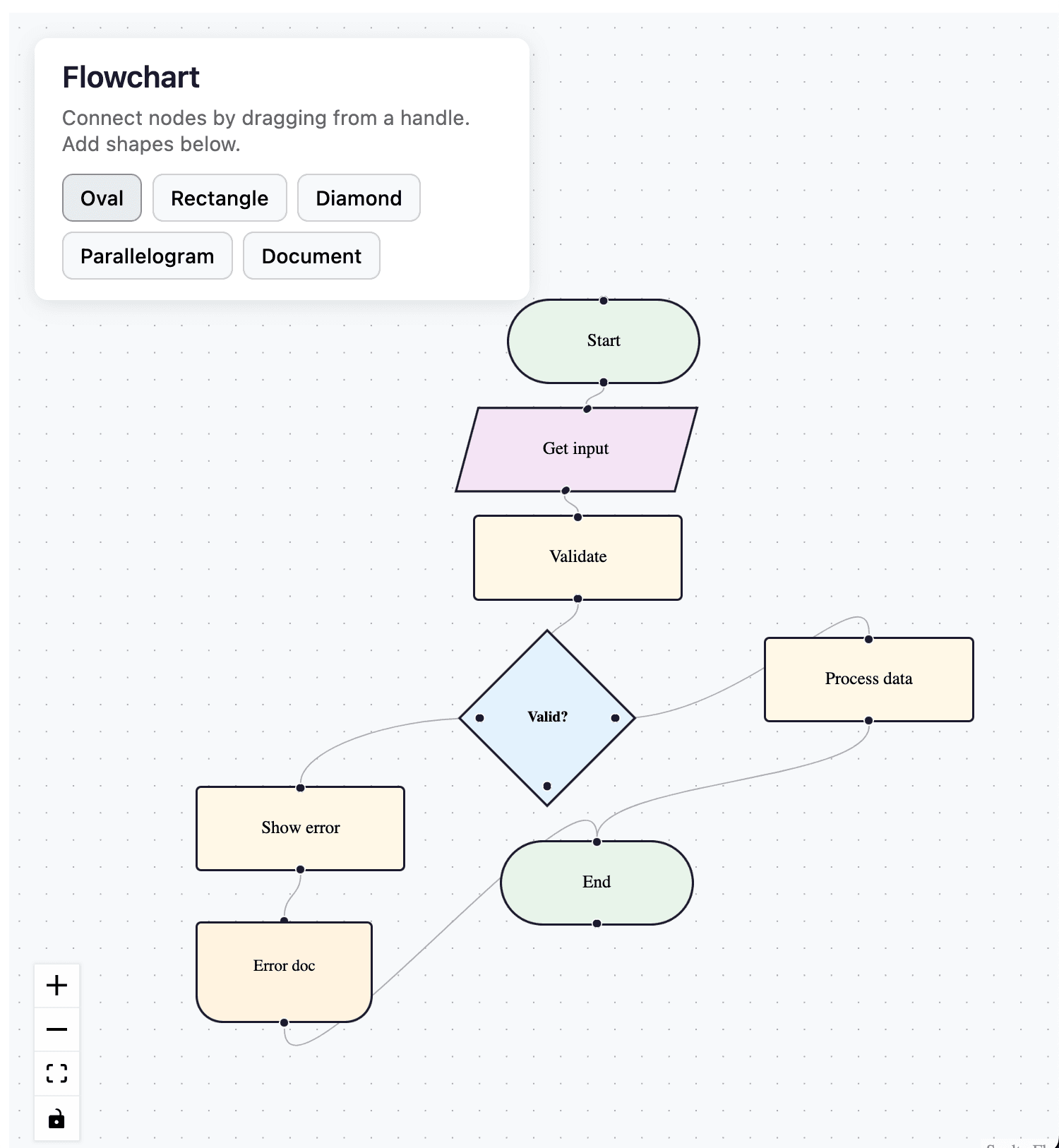
As you can see, the Cursor agent performed much better with the help of our
/llms.txt file. It was able to navigate the docs in a single document rather
than having to navigate the site and retrieve the content from multiple pages,
while in the baseline app, the AI agent blindly attempted to style the nodes
without checking the docs.
Agent skills won’t help much… for now
We also wanted to explore if there was anything we could offer to our Pro subscribers so their LLMs could access the content of our Pro examples during development. Agent skills are markdown documents loaded on-demand that teach an LLM how to perform a specific task, and these sounded like a great fit for our Pro examples: each Pro example is already teaching our users how to implement a specific feature or technique!
Unlike our /llms.txt work, we wouldn’t be able to automate the development of skills.
Our Pro examples are full Vite apps, and while they do come with a readme walkthrough of
the code, it’s not enough to work as a skill on its own.
To test out the idea we wrote a sample skill based on our standard docs on how to implement custom nodes. In addition to the skill document itself, we also grabbed some of our examples – updating node data, adding a drag handle, and a few others – and included them as reference material an agent could choose to load if it wanted. Then, we created a simple test harness to help us evaluate whether the skill was successful or not. The harness worked like this:
First, we created an empty React Flow application to act as the basic foundation.
Next, the harness copied the template app twice: once to act as the baseline, and a second time with access to the skill(s) we wanted to evaluate.
Then we ran the same prompt in both projects, making sure to use the same agent (Zed’s agent) and model (Claude Sonnet 4.6).
Once both agents were finished, we took some notes comparing the output of each run.
So how did this turn out? This is one of the prompts we tried. The prompt was left intentionally simple to give the agent some room to improvise
Add some custom nodes so my users can create flow charts. Implement common flow chart shapes like ovals, diamonds, etc.
And here is a side-by-side comparison of both apps produced. Can you tell which is which?
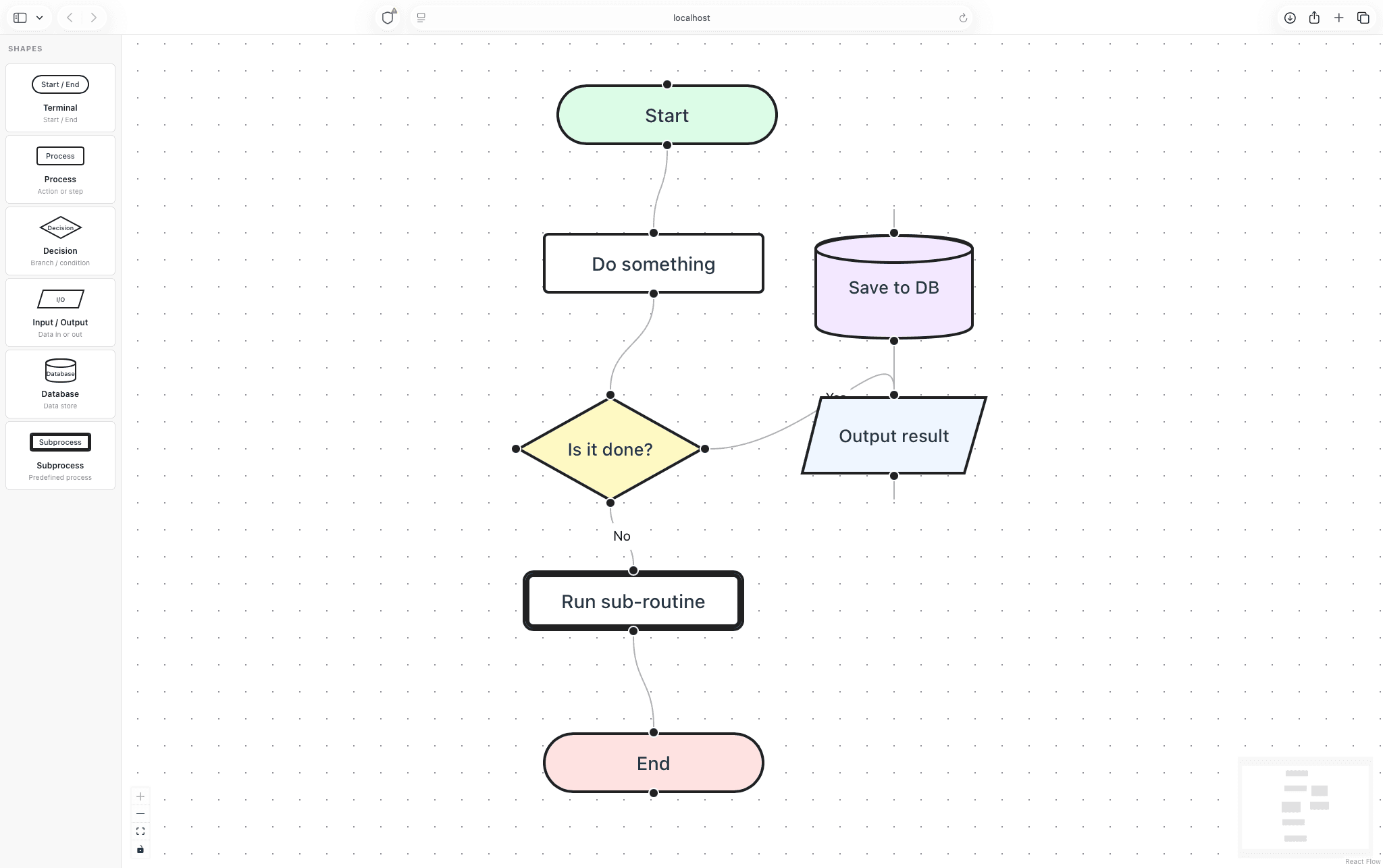
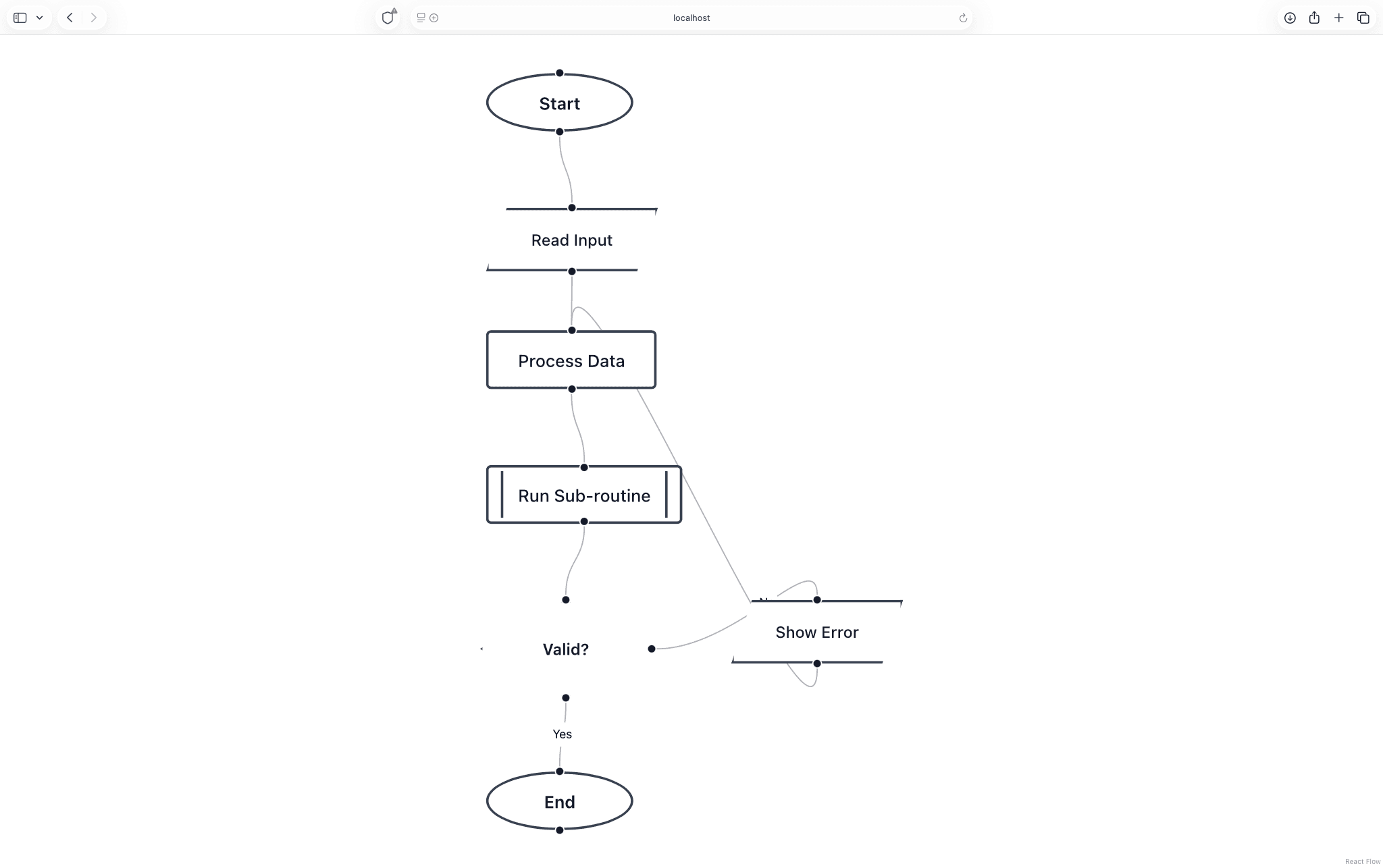
If you guessed the image on the left was produced by the agent using the skill you’d be… wrong! Wait, what?! Upon first glance this might seem like a bit of a disaster, but if we dig in a little bit more the story is a bit different.
On the one hand, the agent without the skill produced a much more impressive output than the one with access to the skill: the app is well-styled and has a sidebar with functioning drag-and-drop. On the other, we never asked for those things.
It seems like when the skill is available, its primary utility – at least in a task like this – is to keep the agent focused on the task. We might continue to tinker with this idea over time, but for now it seems like writing these skills takes too much effort and current LLMs already appear to have a great handle of React Flow already.
Looking forward
The new /llms.txt work is already deployed for both React Flow and Svelte Flow.
We think this might be even more useful for Svelte users, where there’s less Svelte
Flow code for the LLMs to have seen during training.
As for agents, we’re pausing our investigations into AI for now to focus on other things. But that doesn’t mean we’re done forever! If you’re an avid user of LLMs or agentic workflows, and you have some ideas on how we can better serve users like you, we’d love to hear about it on our Discord server or via email at info@xyflow.com.
15 June 2026
Introducing Svelte Flow Pro, a new Pro Platform, and a Whole Lot More

We’ve been working hard this spring, and today we’re introducing Svelte Pro, alongside a wave of major updates across the platform.
Read more1 December 2025
When Nodes Collide: Collision Algorithms and the Latest Node UI Buzz

We explored several node collision algorithms and created a playground and a benchmark to compare them.
Read more